
Bookmark Squirrel
Bookmark Squirrel (BMSQ) is a production SaaS application I created from the ground up and currently operate. The backend is primarily Java and Spring Boot, with Dart used for tooling. It includes TOTP-based 2FA, Google OAuth/OIDC, Stripe integrations, transactional email, a PWA, and tools for searching and managing thousands of bookmarks.
I needed a bookmark manager that could manage and bulk edit thousands of bookmarks, allow me to make clean looking lists that looked good on my wide monitor and phone, and had a search system that utilized tags with uncluttered looking results. Nothing out there fit the bill, so I built Bookmark Squirrel.
The sections below go into some of the design decisions, features, security, and infrastructure behind the project.
Explore: Frontend · Search · The Grid · Import/Export · PWA · Backend · Security · Stripe · Monitoring · Server
Frontend
Thymeleaf was a great fit for rendering the pages of Bookmark Squirrel. AI was a great help with layout, CSS, JavaScript, and the occasional syntax issues with Thymeleaf tags.
The user navigates via the toolbar at the top to access their group pages, dashboard, the grid, search, and tag pages.
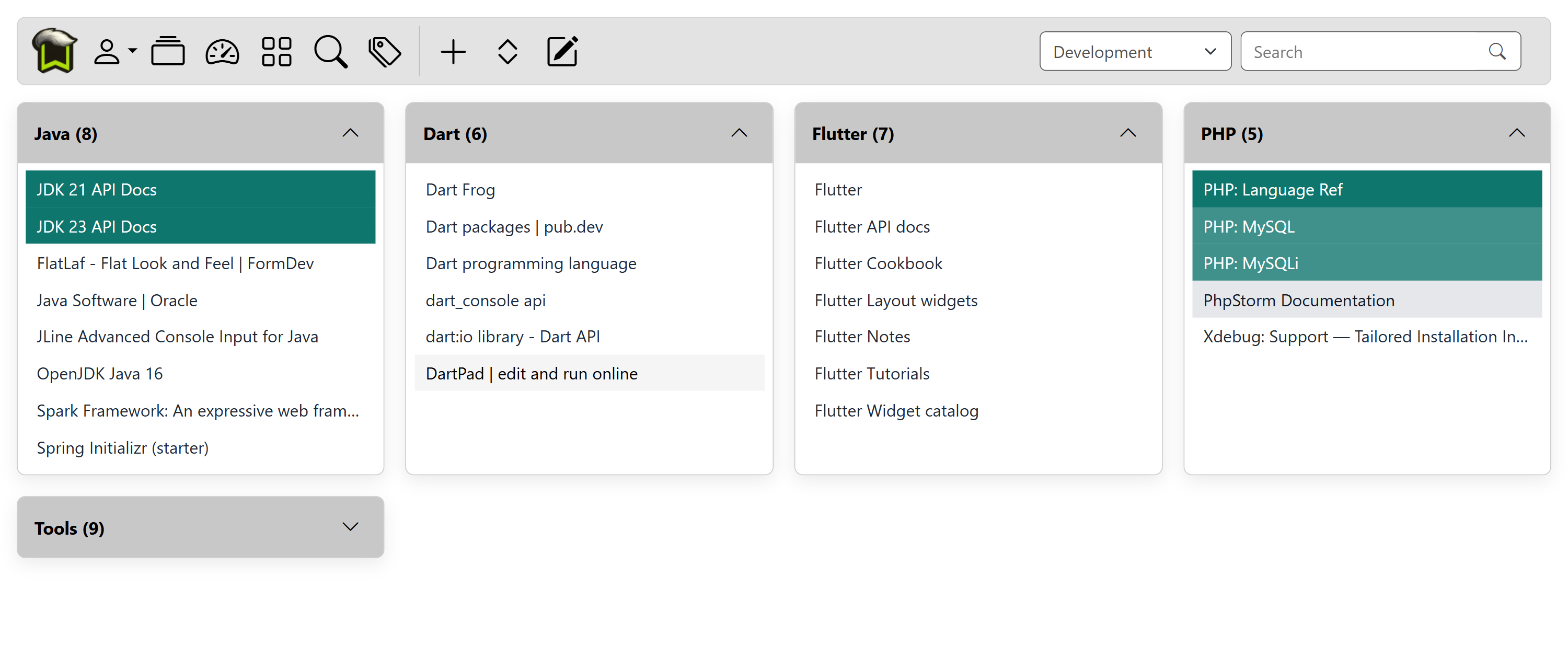
Group Pages, Topic Cards
The topic cards are presented using a masonry layout that adapts to wide-screen monitors while maintaining a consistent card appearance, and reflows naturally for smaller phone screens.
A group is a page of topic cards. Topic cards contain a list of bookmarks, are collapsible, and can be reordered or moved to another group. Bookmarks can also be reordered or moved within a topic, or to another topic.
Tooltips can be turned on for a small popup with summary information about the bookmark, and a detail button can be activated to show a detailed view of the bookmark, as well as show a QR code.
The user can access their settings where they can change layout and view settings, access their account information where they can change username/email/password, enable 2FA and view their subscription and billing information.
Search
Search was inspired by Google's Advanced Search. A number of fields allow you to use search for text in different ways. By combining that with tag searching, it's usually easy to find a bookmark you can't remember within a couple of search attempts.
Once you have a list of bookmarks, you can further filter or sort the results to hone in on what you want to find.
Saved Searches
While I was using BMSQ, I found myself searching for a particular topic again and again; like while researching mountain bikes and tools. I'd want to search for all bookmarks related to that.
Then I hit on the idea of saving your search query, and dynamic lists on the user's dashboard came to life. As you add bookmarks that match the saved query, the dynamic list auto-populates.
The Grid
One of my favorite features is the Grid. It's a page for bulk organization, viewing and filtering all of your bookmarks in list form, in real time. You can select multiple bookmarks and perform bulk operations such as:
- Assign or remove tags
- Change the group and topic
- Export selected bookmarks
- Set bookmark colors
I drew inspiration from both Gmail and spreadsheets. I liked Gmail's approach of selecting items and performing actions on them, and the freedom to paste a single value into a number of cells in spreadsheets.
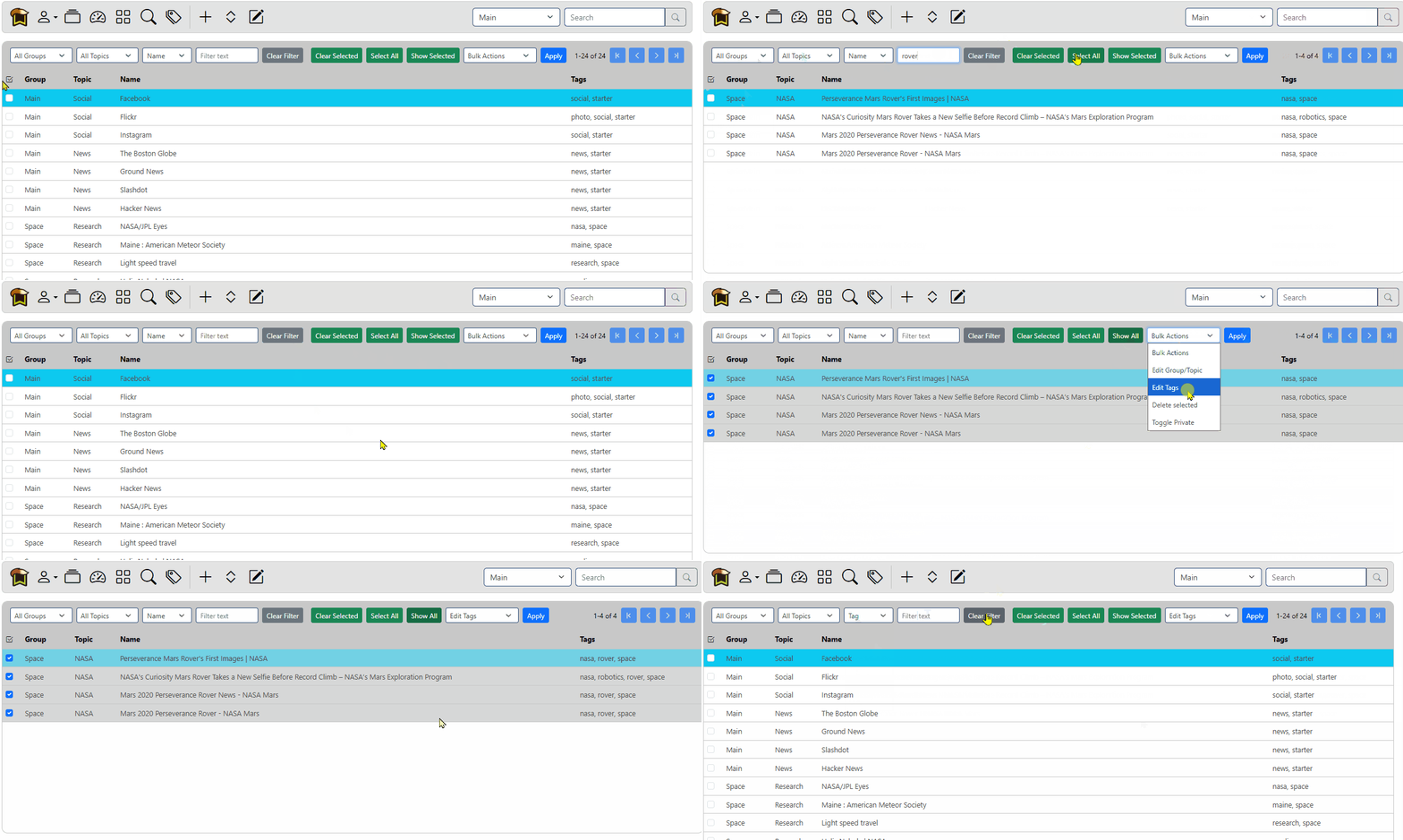
I initially tried integrating a JavaScript spreadsheet component, but found it was more trouble than it was worth and didn't quite fit how I wanted the Grid to work. Instead, I built my own interface focusing on keyboard and mouse navigation, real-time filtering, multi-selection, and bulk operations on those selected bookmarks.
Using the keyboard, you can navigate through bookmarks and pages, and access all of the bulk operations. I wanted both a power-user and newbie to feel right at home.
Import and Export
Importing was very important, as I was bringing most of my bookmarks from a service I had been using. Exporting is equally important. Most sites import and export Netscape-format bookmark HTML files. I wanted a little more flexibility, so I developed the ability to use a CSV file with fields that match what Bookmark Squirrel uses. This also allowed me to use a spreadsheet to do some initial list massaging before I had the Grid implemented.
While working on the HTML importer, I discovered that not all Netscape-format bookmark files are structured the same. Chrome and other browsers place their bookmarks inside a top-level <DL> list, while DuckDuckGo can start immediately with <DT> and nested <DL> elements. I had to make the importer recognize both structures rather than assume there would always be a single top-level list.
Progressive Web App
The app can be used in a web browser, or downloaded as a PWA on your desktop and phone. By using the phone's share feature, it will launch the PWA app right into the Add Bookmark page, allowing you to add tags, color, notes, and add it to your Bookmark Squirrel account. Using share makes adding a bookmark almost as easy as adding one to your browser's bookmark folder.
Apple's share system doesn't forward to a PWA, so saving a bookmark via share currently only works for Android.
A recent feature is being able to share a bookmark via a QR code. The user can tap a thumbnail QR code in the detail preview window to have it expand to full screen. Screen Wake Lock is used to prevent the device from dimming or going to sleep while the QR code is displayed.
Backend
The server starts and is ready to accept requests in about 4 seconds. It's written in Java using Spring Boot, Thymeleaf, JDBC, and MySQL/MariaDB. Postmark is used for transactional email and Stripe for payment processing.
Scheduled background jobs are used for account and other cleanup tasks.
JavaScript Fetch API and JSON endpoints for asynchronous page updates, such as group/topic/tag suggestions, and page updates after bookmark edits.
Security, 2FA, and OAuth
Login accounts are protected using one-way password hashing. Users can enable TOTP-based two-factor authentication (2FA), or sign in using Google OAuth/OIDC. Passwords used to protect shared group pages are encrypted at rest using AES-GCM authenticated encryption.
Two-Factor Authentication (2FA)
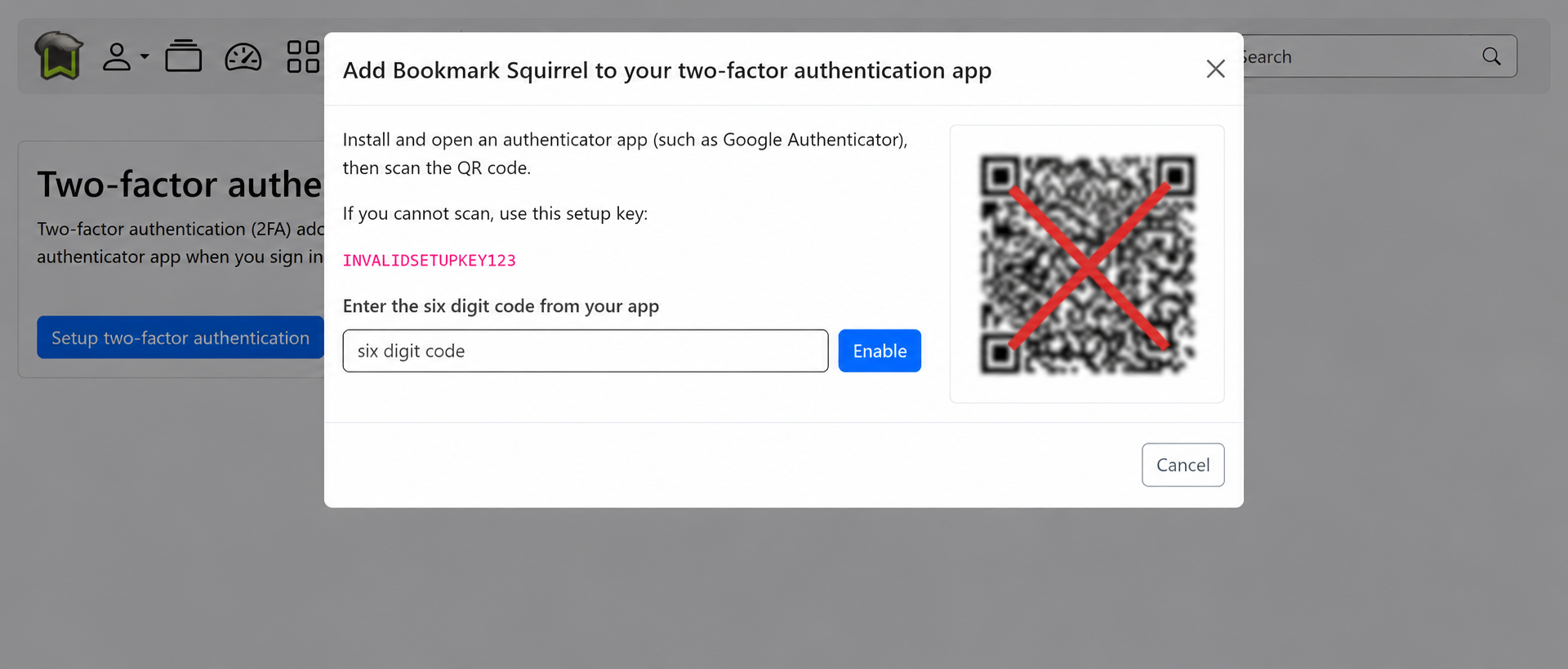
The Two-Factor Authentication (2FA) system uses TOTP (Time-Based One-Time Password) codes compatible with common authenticator apps. The system supports QR-code enrollment, short-lived verification codes, single-use recovery codes. Recovery codes can be regenerated, invalidating previous codes.
Cloudflare Turnstile
In order to filter most bots, Cloudflare's Turnstile is used. A JavaScript widget runs challenges in the visitor's browser and produces a token which is inserted as a hidden input field to the login form. When the user submits the form, BMSQ gets that token and sends that to Cloudflare for confirmation.
Turnstile typically verifies the user is real automatically, but sometimes will require the user to verify themself.
Email verification
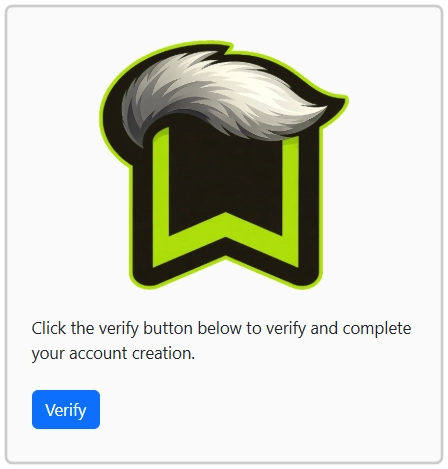
When a user signs up using an email/password combination, BMSQ will send a verification email to the user. The URL is generated using 32 secure random bytes, encoded using base64, then used as a token to be sent to the user. The token is then hashed and stored to the DB with an expiration. When the token is emailed to use the user, the verify page has a verify button to prevent some email spam filters from sending a GET to the URL before the user visits it.
Logout and Logout All
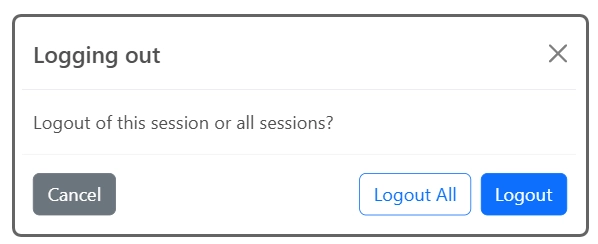
When logging out, the user is able to logout of the current session, or all sessions; which gives the user the ability to logout of all devices and browsers at the same time. The next click made in another session will send them to the login screen.
Stripe Integration
Payments are processed through Stripe, with BMSQ only storing the invoice, subscription and customer id. Using Stripe's Java API, BMSQ creates Stripe-hosted Checkout sessions redirecting users to Stripe to complete the payment. BMSQ also uses the Stripe Customer Portal so users can view invoices, update billing information, and change or cancel their subscriptions. Stripe webhooks then notify BMSQ about subscription and payment information. Webhooks are used to detect successful payment, subscription changes, and any payment disputes. Using webhook-driven synchronization, Stripe is able to handle the payment and recurring billing, while BMSQ manages access based on Stripe events.
Monitoring
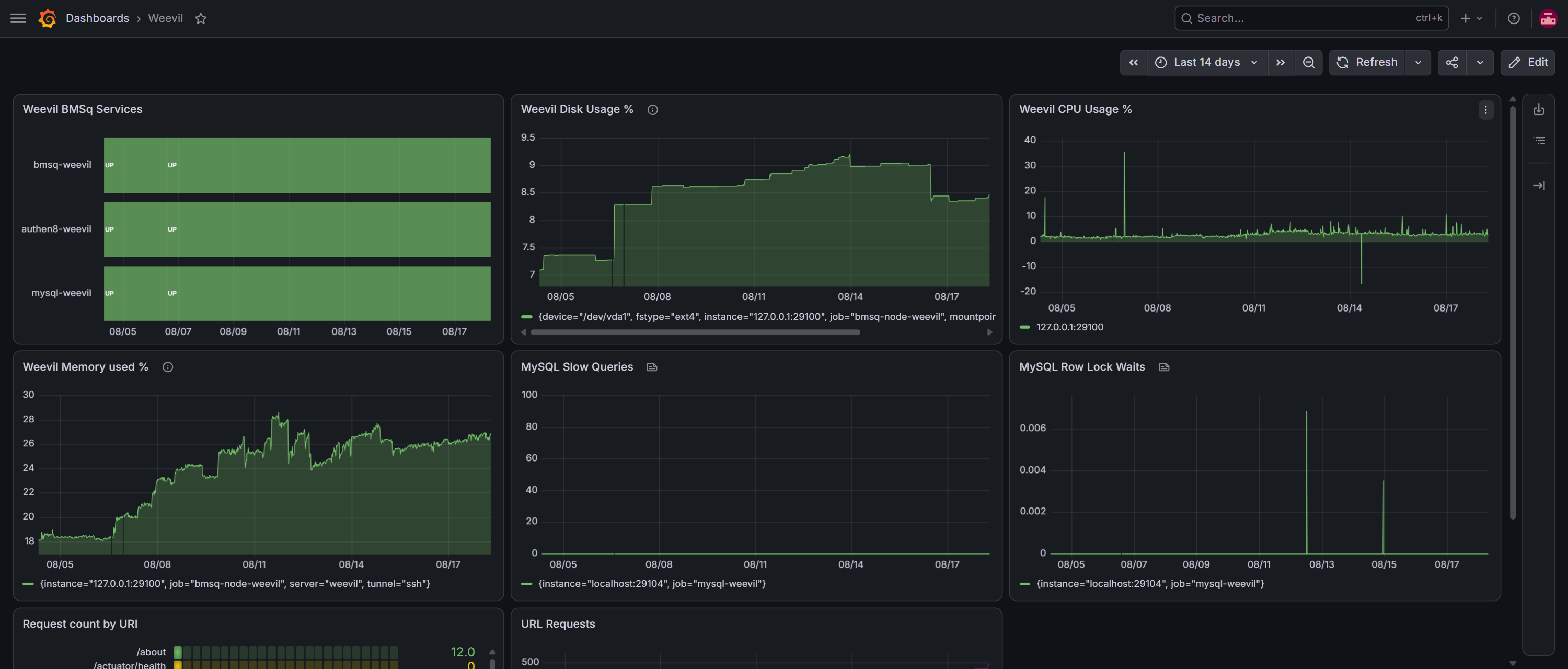
It's important to be able to keep an eye on the status of your services. Not only if they are up or down, but what the usage is over time. This allows you to see if and when performance is becoming an issue. Having a history also allows you to see if a new feature suddenly starts consuming huge amounts of CPU or creates locks in your database.
I use Prometheus, Spring Boot Actuator, node exporter, and mysqld exporter for gathering metrics over time. Grafana is used for viewing, monitoring, and alerting. If any of my services go down I get an email.
Virtual Private Server
Bookmark Squirrel runs on a Linux based VPS I administer.
- Apache HTTP Server as the reverse proxy
- Host websites use Docker to partition them from each other
- Let's Encrypt for TLS
- systemd for service management, ensuring Bookmark Squirrel and other utilities run after a system reboot
Documentation
Bookmark Squirrel's documentation is written in Markdown and converted into static HTML using Markdown2html, a documentation and static-site generator I developed for the project. I later used the same tool to create this portfolio website. Bookmark Squirrel's documentation is available online.